Best Computer Courses in Ranchi for Beginners: Complete Guide
Looking for the best computer courses in Ranchi for beginners? Explore DCA, ADCA, Tally Prime with GST, Advanced Excel and DTP courses. Learn about course duration, syllabus, career opportunities and how to choose the right computer training institute in Ranchi. Emancipation Edutech offers practical, beginner-friendly computer training with hands-on lab sessions, experienced mentors and career guidance.
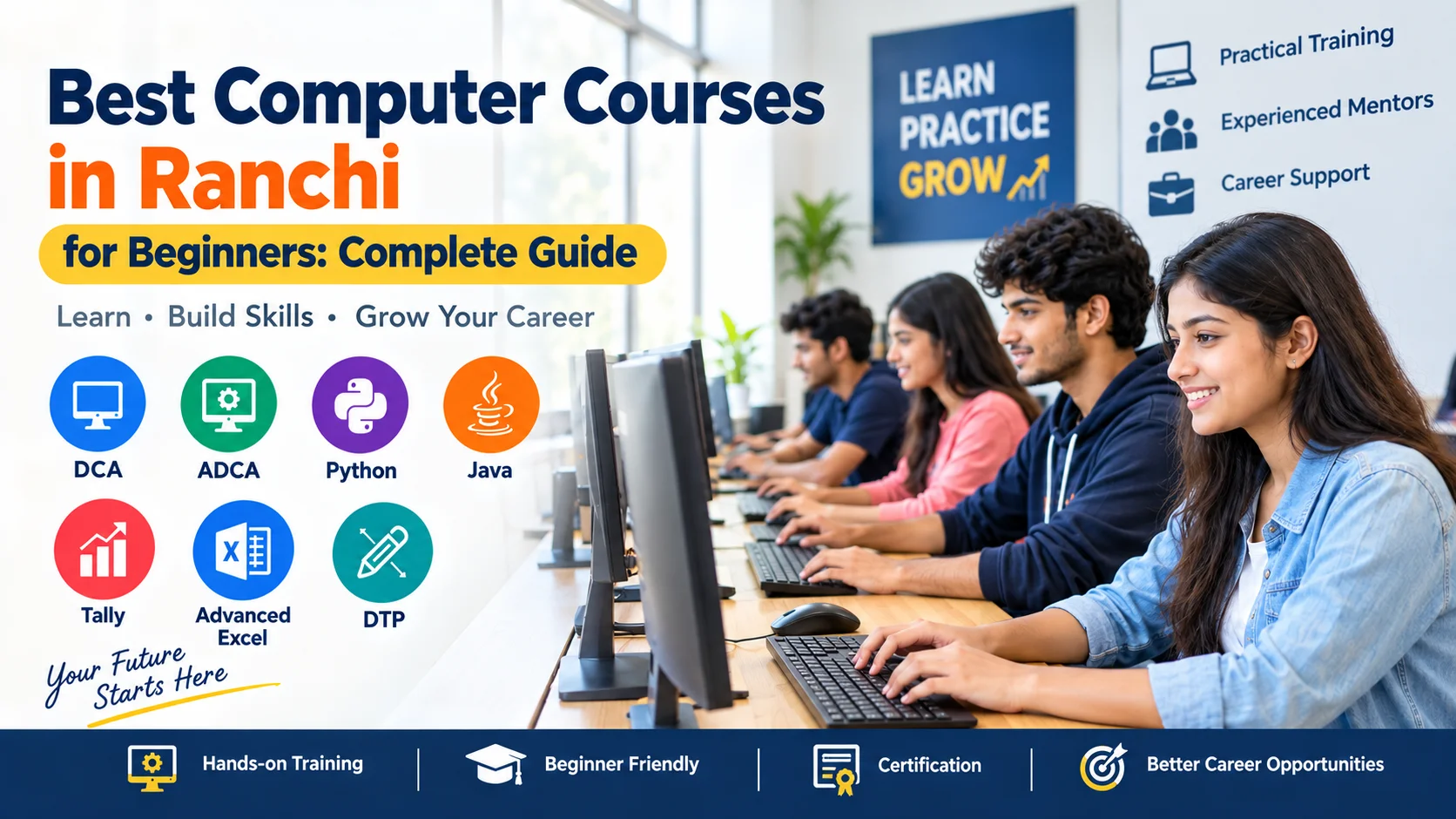
In today’s digital world, computer skills are no longer optional. Students, job seekers, fresh graduates and working professionals all need basic computer knowledge to perform everyday academic and workplace tasks.
If you are a beginner and want to learn computers from scratch, choosing the right course can make a significant difference. From DCA and ADCA to Tally Prime with GST, Advanced Excel and DTP, different computer courses are designed for different career interests.
Ranchi has several options for students who want to develop practical computer skills. But before enrolling, it is important to understand the course duration, syllabus, practical training, eligibility and career opportunities.
In this guide, we will explore the best computer courses in Ranchi for beginners, what each course covers, who should choose it and how to select the right computer training institute.
Why Should Beginners Join a Computer Training Course?
Learning computers through a structured training programme can help beginners develop confidence and practical workplace skills.
1. Better Job Readiness
Computers are used in almost every industry, including offices, education, healthcare, retail, finance and small businesses. Basic knowledge of MS Office, email, documentation, spreadsheets and digital tools can be useful for many entry-level positions.
2. Improved Workplace Productivity
Learning applications such as MS Word, Excel and PowerPoint can help students complete documentation, reporting and presentation-related tasks more efficiently.
3. Foundation for Advanced IT Skills
Basic computer knowledge can also become the foundation for learning more advanced areas such as programming, web development, data analytics and other technology skills.
4. Useful for Students and Job Seekers
Students can develop practical skills alongside their academic education, while job seekers can add relevant computer skills to their professional profile.
Computer Courses in Ranchi After 10th and 12th
Students often search for computer courses in Ranchi after 10th and 12th because they want to develop practical skills before higher education or employment.
After Class 10th, beginners can consider foundational courses such as DCA, basic computer applications, MS Office, typing and DTP.
After Class 12th, students can explore broader options such as ADCA, Advanced Excel, Tally Prime with GST, DTP and other IT-related courses according to their interests.
The right choice depends on your educational background and career goal. For example:
- Interested in basic office work? → DCA
- Want broader computer knowledge? → ADCA
- Interested in accounting? → Tally Prime with GST
- Interested in reporting and data handling? → Advanced Excel
- Interested in creative design? → DTP
Best Computer Training Courses for Beginners in Ranchi
1. DCA Course in Ranchi
DCA, or Diploma in Computer Applications, is a suitable starting point for beginners who want to understand computers and common office applications.
Duration
3 to 6 months
Ideal For
- Students after 10th or 12th
- Complete beginners
- First-time job seekers
- Learners who want basic computer knowledge
- Individuals preparing for office-based roles
Core Syllabus
A typical DCA curriculum may include:
- Computer fundamentals
- Operating system basics
- MS Word
- MS Excel
- MS PowerPoint
- Internet and web browsing
- Email and digital communication
- Typing practice
- Document formatting
- Basic computer applications
Career Scope
Depending on qualification and employer requirements, learners may explore entry-level roles such as:
- Computer Operator
- Office Assistant
- Data Entry Executive
- Front Desk Executive
Students can check the detailed DCA course structure here:
2. ADCA Course in Ranchi
ADCA, or Advanced Diploma in Computer Applications, is designed for students who want broader practical computer knowledge than a basic computer course.
Duration
Approximately 1 year
Ideal For
- Students
- Job seekers
- Beginners looking for broader computer skills
- Learners interested in office applications, accounting and additional computer tools
Core Syllabus
Depending on the institute's curriculum, an ADCA programme may include:
- Computer fundamentals
- MS Office
- Advanced Excel
- Internet and email
- Tally Prime with GST
- DTP
- Basic web designing
- IT fundamentals
- Practical computer applications
Career Scope
Depending on skills and job requirements, learners can explore roles such as:
- Computer Operator
- Office Assistant
- Accounts Assistant
- DTP Assistant
- Computer Lab Assistant
Learn more about the course:
3. Tally Prime with GST Course in Ranchi
Students interested in accounting, billing and business operations can consider Tally Prime with GST training.
Tally-based accounting skills can be particularly useful for learners who want practical exposure to accounting software and business transactions.
Duration
2 to 3 months
Ideal For
- Commerce students
- Accounting beginners
- Job seekers
- Small business owners
- Learners interested in billing and accounts work
Core Syllabus
The syllabus may cover:
- Financial accounting fundamentals
- Tally Prime interface
- Company creation
- Ledger and group creation
- Voucher entries
- Sales and purchase transactions
- GST-related accounting processes
- Inventory management
- Billing
- Payroll fundamentals
- Basic financial reports
Career Scope
Depending on qualification and employer requirements, learners can explore roles such as:
- Accounts Assistant
- Billing Executive
- Tally Operator
- Junior Accounts Executive
Explore the course:
Tally Prime with GST Course in Ranchi
4. Advanced Excel & Data Handling in Ranchi
Excel is one of the most commonly used tools in offices for reporting, data management and business operations.
For students and professionals who already know basic Excel and want to improve their spreadsheet skills, an Advanced Excel course can be a practical option.
Duration
1 to 2 months
Ideal For
- College students
- Graduates
- Job seekers
- Administrative professionals
- Office employees
- Learners interested in data handling and reporting
Core Syllabus
Advanced Excel training may include:
- Excel formulas and functions
- VLOOKUP
- XLOOKUP
- INDEX and MATCH
- IF and logical functions
- Data sorting and filtering
- Data validation
- Conditional formatting
- Pivot Tables
- Charts
- Data cleaning
- MIS reporting
- Dashboard fundamentals
Career Scope
Advanced Excel skills can be useful for positions involving reporting and data management, such as:
- MIS Executive
- Reporting Assistant
- Administrative Executive
- Data-handling roles
- Junior Data Analyst roles, where the job requirements match the learner's skills
Explore the course:
Advanced Excel Course in Ranchi
5. DTP Course in Ranchi
DTP, or Desktop Publishing, can be considered by students who are interested in graphic design, print media and visual content creation.
It focuses on practical design and publishing tools used to create different types of visual materials.
Duration
2 to 3 months
Ideal For
- Creative learners
- Students interested in graphic design
- Beginners interested in print design
- Learners interested in posters and promotional materials
Core Syllabus
A DTP course may cover:
- Adobe Photoshop
- Image editing
- Photo manipulation
- CorelDRAW
- Vector graphics
- Poster design
- Banner design
- Visiting card design
- Brochure design
- Publication formatting
Career Scope
Depending on practical skills and portfolio quality, learners can explore:
- DTP Operator
- Graphic Design Assistant
- Print Design Assistant
- Printing and publication-related roles
Explore the course:
Computer Courses in Ranchi: Quick Comparison
| Course | Duration | Suitable For | Main Skills |
|---|---|---|---|
| DCA | 3–6 Months | Beginners | Computer Basics, MS Office, Internet |
| ADCA | 1 Year | Students & Job Seekers | Office Tools, Accounting, DTP & IT Basics |
| Tally Prime with GST | 2–3 Months | Commerce & Accounting Learners | Accounting, GST, Billing |
| Advanced Excel | 1–2 Months | Students & Professionals | Formulas, Pivot Tables, Reporting |
| DTP | 2–3 Months | Creative Learners | Photoshop, CorelDRAW, Design |
Course duration and syllabus can vary between training institutes. Students should verify the detailed curriculum before enrolling.
Benefits of Popular Computer Courses in Ranchi
DCA – Diploma in Computer Applications
DCA can help beginners:
- Build basic computer knowledge
- Learn MS Word, Excel and PowerPoint
- Understand internet and email usage
- Improve documentation skills
- Develop basic workplace computer skills
ADCA – Advanced Diploma in Computer Applications
ADCA can help learners:
- Develop broader computer knowledge
- Improve MS Office and Excel skills
- Gain exposure to accounting applications
- Learn additional computer applications
- Prepare for computer-based office work
DTP – Desktop Publishing
DTP can help students:
- Learn practical design tools
- Create posters and banners
- Work with images and vector graphics
- Understand basic print design
- Build a foundation for creative design work
Tally Prime with GST
This course can help learners:
- Understand accounting software
- Practice sales and purchase entries
- Learn billing processes
- Understand GST-related accounting processes
- Gain exposure to inventory management
Advanced Excel
Advanced Excel can help learners:
- Work with larger datasets
- Use advanced formulas
- Create Pivot Tables and charts
- Prepare reports
- Develop basic dashboards
- Improve data-handling and MIS skills
Career Opportunities After Computer Courses in Ranchi
Computer training can be useful for learners looking for entry-level computer-based positions. However, completing a course alone does not guarantee employment.
Career opportunities depend on factors such as:
- Educational qualification
- Practical skills
- Communication ability
- Interview performance
- Relevant experience
- Employer requirements
For example, DCA or ADCA learners may explore office and computer operator roles. Tally learners can look for accounting and billing-related positions. Advanced Excel learners may target reporting and MIS-related roles, while DTP learners can explore design and print-related opportunities.
Building practical skills along with communication and workplace knowledge can make the learning experience more useful.
How to Choose the Best Computer Course for Your Career Goal
There is no single computer course that is suitable for every student. Before enrolling, first identify what you want to achieve.
If You Are a Complete Beginner
DCA can be a practical starting point because it generally introduces computer fundamentals, MS Office and internet usage.
If You Want Broader Computer Knowledge
ADCA may be suitable if you want a longer programme covering multiple computer applications.
If You Are Interested in Accounting
Consider Tally Prime with GST if your goal is to develop accounting and billing-related computer skills.
If You Want Office & Data Skills
Advanced Excel can be useful for reporting, spreadsheets, data management and MIS-related work.
If You Are Interested in Creative Work
DTP can be considered if you enjoy designing posters, banners, brochures and other visual materials.
What Should You Check Before Joining a Computer Institute in Ranchi?
Choosing an institute is just as important as choosing a course.
Before enrolling, check the following:
1. Practical Training
Computer skills are best developed through regular practice. Check whether the institute provides sufficient computer-lab sessions.
2. Experienced Trainers
Beginners often need step-by-step guidance. Trainers should be able to explain concepts clearly and help students during practical sessions.
3. Updated Curriculum
Check whether the syllabus includes relevant software, tools and workplace applications.
4. Individual Computer Practice
Ask whether students get regular access to computers during practical classes rather than only watching demonstrations.
5. Course Duration and Syllabus
Do not select a course only based on its name. Compare the actual modules, practical hours and learning outcomes.
6. Certification Details
Ask what certificate is provided after successful completion and what it represents. For government recruitment, always check the specific recruitment notification to confirm whether a particular certificate or qualification is accepted.
7. Career Guidance
If you are unsure about your career direction, an institute offering career guidance can help you understand which course aligns with your educational background and goals.
Why Choose Emancipation for Computer Training in Ranchi?
Emancipation Edutech Private Limited offers computer and IT training programmes for beginners, students and job seekers in Ranchi.
The training approach focuses on practical learning and career-oriented skill development.
Key Learning Features
Zero-Level Foundations: Beginners can start learning from fundamental concepts without assuming advanced technical knowledge.
Practical Computer Lab: Students get opportunities to practise concepts using computers rather than relying only on theoretical classes.
Trainer Guidance: Step-by-step support can help beginners understand concepts and complete practical tasks.
Flexible Learning Options: Course and batch availability can be discussed according to the learner's requirements.
Career Guidance: Students can discuss their educational background and career interests before selecting an appropriate course.
Practical Skill Development: The focus is on developing skills that learners can apply to academic, office and professional tasks.
Computer Training in Tharpakhna, Ranchi
For students searching for a computer training institute in Ranchi, location can also be an important consideration.
Emancipation Edutech Private Limited is located at:
Abhinandan Complex, Tharpakhna, Near Govt. Women's Polytechnic, Ranchi, Jharkhand
Students from different parts of Ranchi can explore available courses and select a programme according to their educational background and career objectives.
Frequently Asked Questions
Q1. What is the difference between DCA and ADCA?
DCA generally focuses on fundamental computer applications, MS Office, internet usage and basic workplace skills. ADCA is usually a longer and broader programme that may include additional areas such as Advanced Excel, accounting applications, DTP and basic web concepts.
The exact syllabus depends on the institute.
Q2. Which computer course is best for beginners in Ranchi?
For a complete beginner, DCA can be a suitable starting point because it generally focuses on computer fundamentals, MS Office, internet usage and basic workplace applications.
Students should select a course according to their educational background and career plans.
Q3. Which computer course is useful for accounting jobs?
Tally Prime with GST can be useful for learners interested in accounting and billing-related work. It provides practical exposure to accounting software, transactions, GST-related processes and inventory management.
Q4. Is Advanced Excel useful for job seekers?
Yes, Advanced Excel can be useful for jobs involving spreadsheets, reporting, data management and MIS work. However, the skills required vary from one company and job role to another.
Q5. Can students join computer courses after Class 10th?
Yes. Many foundational computer courses are designed for beginners and can be considered after Class 10th. Students should check the eligibility requirements of the particular institute before enrolling.
Q6. Which course should I choose after Class 12th?
The choice depends on your interests. Students interested in basic office work can consider DCA or ADCA, commerce-oriented learners can consider Tally Prime with GST, while those interested in data and reporting can explore Advanced Excel.
Q7. Does completing a computer course guarantee a job?
No course can guarantee a job simply through certification. Employment depends on education, practical skills, communication, interview performance, experience and the requirements of the employer.
Final Thoughts
Choosing the right computer course in Ranchi depends more on your career goal than on the course name alone.
If you are completely new to computers, DCA can help you build a foundation. If you want broader computer knowledge, ADCA can be considered. Students interested in accounting can explore Tally Prime with GST, while learners interested in office reporting and data handling can develop their skills through Advanced Excel. For creative learners, DTP can provide a starting point in graphic and print design.
Before joining any institute, compare the syllabus, practical training, trainer support, duration, certification and career guidance.
For students and job seekers in Ranchi, choosing a practical learning environment and consistently practising the skills taught during the course can help build a stronger foundation for future academic and career opportunities.
Start Your Computer Learning Journey in Ranchi
If you are confused about which computer course is appropriate for your background, you can explore the available programmes at Emancipation and discuss your requirements with the training team.
Emancipation Edutech Private Limited
📍 Abhinandan Complex, Tharpakhna, Near Govt. Women's Polytechnic, Ranchi
Explore Computer & IT Courses at Emancipation